How Do Clients and Servers Actually Talk to Each Other?

The realm of backend engineering opens up with a very fundamental question: how do clients and servers communicate with each other?
There are several protocols that facilitate this communication. One such prevalent protocol is HTTP, HyperText Transfer Protocol.
At its core, HTTP is an application-layer communication protocol that defines how clients and servers exchange information over a network. It gives us a standardized way for a client to make a request for some resource or action and for a server to respond to that request. Whether you are loading a webpage, fetching data from an API, submitting a form, or downloading a file, HTTP provides the language and the rules through which that communication happens.
Two very significant qualities of HTTP are statelessness and the client-server model.
1. Statelessness
HTTP is stateless. This means that each request is independent of the requests that came before it. A request does not inherently carry information about the previous or the upcoming requests. The server, by default, does not have to remember the state of a particular client from one request to another.
This is important because it keeps the protocol relatively simple and, more importantly, makes it much easier to scale applications across distributed systems. Since the server does not inherently need to maintain conversational state between requests, requests can be handled by different servers or nodes without requiring every node to know the complete history of the interaction.
And this is where things like sessions, cookies, and tokens eventually enter the picture, mechanisms that allow applications to maintain state on top of an inherently stateless protocol.
2. Client-Server Model
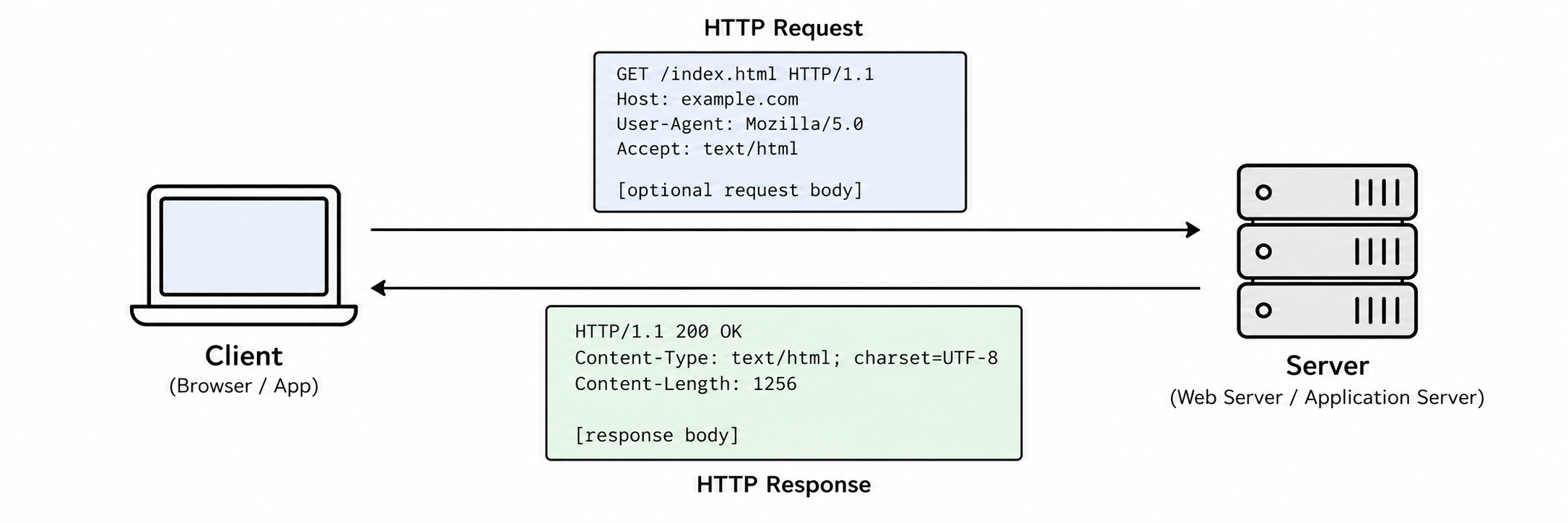
HTTP follows a client-server model. The client initiates communication by sending a request, and the server processes that request and sends back a response.
HTTP commonly operates over TCP (Transmission Control Protocol), which provides the reliable, ordered delivery of data that HTTP can build upon. Before data is exchanged over a traditional TCP connection, the client and server perform what is known as the TCP three-way handshake.
Now, this is another rabbit hole which one could go into. We, however, for the sake of this blog, will not be exploring that.
For now, you can think of the TCP handshake as the initial agreement between the client and the server before they start exchanging data, a mechanism through which both sides establish that a connection can be created and communication can begin.
And one important thing to keep in mind here is that the communication at the HTTP level is initiated by the client. The client makes a request, and the server responds.
So now we know that HTTP is essentially the language through which the client and the server communicate. But there is an obvious question that comes next.
What exactly does the client tell the server when it makes a request?
It obviously tells the server what it wants. But is that all?
Not really.
Headers: The Context Around the Message
A request can carry a lot more information than just the resource that the client is asking for. The client might need to tell the server what kind of content it can understand, what kind of client it is, whether it is authenticated, whether it already has a particular version of a resource cached, and so on.
This is where HTTP headers come into the picture.
Headers are essentially key-value pairs of metadata that accompany an HTTP request or response. They provide additional information about the request, the response, the client, the server, or the resource being transmitted.
You can almost think of them as the additional context surrounding the actual message.
There are different types of headers. It is worth saying upfront that the four-way split below (request, general, representation, security) is a practical grouping for understanding what a header is for, not a rigid category the HTTP spec enforces. The current spec (RFC 9110) actually organizes headers more around concepts like control data, field data, and content metadata, and plenty of headers straddle more than one bucket. But the grouping below is a genuinely useful mental model, so let's use it.
1. Request Headers
Request headers are sent by the client and help the server understand the client's environment, capabilities, preferences, and the context of the request.
For example, User-Agent, Cookie, Authorization, and Accept.
The User-Agent can provide information about the client making the request. Cookie can carry cookies associated with the client, while Authorization can carry authentication credentials or tokens.
2. General Headers
General headers provide information about the HTTP message or the communication itself and can be relevant to both the client and the server.
Examples include Date, Cache-Control, and Connection.
They are not necessarily concerned with the actual resource being transmitted. Instead, they provide broader information about how the message or connection should be handled.
3. Representation Headers
Representation headers describe the representation of the resource being transmitted.
Examples include Content-Type, Content-Encoding, and ETag.
Content-Type, for example, tells the receiver what kind of representation is being sent, such as text/html or application/json. Content-Encoding tells the receiver whether and how the representation has been encoded or compressed.
Content-Length is usually lumped in with this group too, but it is worth being precise about what it actually describes: the size, in bytes, of the message body being sent right now, not necessarily the size of "the resource" in some abstract sense. That distinction matters the moment you deal with partial responses or a HEAD request, which we will get to in a second.
Then there is ETag. An ETag is an identifier associated with a particular representation of a resource, and it exists so the client and server can cheaply agree on whether the client's cached copy is still current, without the server having to resend the whole representation. It is typically derived from a hash or fingerprint of the content, but the spec never requires that, it just requires that the same representation produce the same ETag. ETags also come in two flavors: strong validators, which promise byte-for-byte equivalence, and weak validators (prefixed with W/, like W/"abc123"), which only promise the representations are semantically equivalent for the purpose the client cares about. Most of the time you will not need to think about the difference, but it explains why you will occasionally see a W/ in front of an ETag value and shouldn't be confused by it.
4. Security Headers
Security headers are used for security purposes. They allow a server to communicate security-related policies and instructions to the client, particularly browsers.
Some common examples are Content-Security-Policy (CSP), Strict-Transport-Security (HSTS), X-Content-Type-Options, Referrer-Policy, and Permissions-Policy.
These can control things like which resources a browser is allowed to load, whether communication should happen only over HTTPS, how certain types of content should be interpreted, and what information should be shared with other websites.
Headers have two particularly interesting qualities.
Extensibility. Headers are extensible. You can add or remove headers depending on what you want to communicate, and you can even create custom headers for application-specific requirements.
But why would you need a custom header in the first place?
Well, sometimes an application needs to communicate a piece of metadata for which there is no appropriate standardized header. For example, an internal system might want to attach a request ID, a trace ID, or some application-specific piece of information to a request. In such cases, a custom header can be used to communicate that information between the different components of the system, as long as both sides understand what that header means.
Headers act somewhat like a remote control for the client and the server. They allow the client and server to influence how the other side interprets or handles the communication.
The client can tell the server what kind of content it accepts, provide authentication information, or communicate information about its capabilities. The server, on the other hand, can tell the client how a response should be cached, what kind of content it is receiving, or what security policies should be followed.
So while the actual body of an HTTP message contains the data, headers provide the context and instructions surrounding that data.
We know what additional context can travel with a request. But there is still something fundamental missing.
What exactly does the client want the server to do?
Does it want to fetch something? Send something? Update something? Delete something?
HTTP Methods
This is where HTTP methods come into the picture. HTTP provides a set of methods that tell the server what kind of operation the client wants to perform on a resource.
There are several HTTP methods, but let's start with the ones you will encounter most frequently.
1. GET
GET is used to fetch information from the server. It is generally used when the client wants to retrieve a resource without asking the server to modify anything.
For example, if I want to fetch the details of a particular user, I could make a GET request:
GET /users/42 HTTP/1.1
Host: example.com
Accept: application/json
The server could respond with:
HTTP/1.1 200 OK
Content-Type: application/json

{
  "id": 42,
  "name": "Rudraksh"
}
The important thing to remember here is that a GET request is intended for retrieving a resource, not modifying it.
2. HEAD
HEAD is very similar to GET. In fact, the server should return the same headers that it would return for a corresponding GET request, but without a response body.
For example:
HEAD /users/42 HTTP/1.1
Host: example.com
The server could respond:
HTTP/1.1 200 OK
Content-Type: application/json
Content-Length: 34
ETag: "abc123"
Notice that there is no response body, even though Content-Length still says 34. That is not a bug or an inconsistency. Content-Length here describes the size of the body that the corresponding GET would have returned, so the client knows how large the resource is without actually downloading it.
This makes HEAD useful when you want to obtain information about a resource without actually downloading the resource itself. It can be useful for things like checking whether a resource exists, checking its metadata, checking its size, validating cached information, or performing health and connectivity checks, depending on how the application is designed.
3. POST
POST is generally used when the client wants to send data to the server for processing. This is commonly used when creating a new resource, submitting a form, triggering some operation, or asking the server to process some piece of data.
For example:
POST /users HTTP/1.1
Host: example.com
Content-Type: application/json

{
  "name": "Rudraksh",
  "email": "rudraksh@example.com"
}
The server might respond:
HTTP/1.1 201 Created
Content-Type: application/json

{
  "id": 43,
  "name": "Rudraksh",
  "email": "rudraksh@example.com"
}
So, unlike GET, where the client is essentially saying "give me this", POST is more like saying "here is some data, now process this."
4. PUT
PUT is generally used to create or completely replace the representation of a resource at a particular URI. The important word here is replace.
Suppose we have a user resource:
PUT /users/42 HTTP/1.1
Host: example.com
Content-Type: application/json

{
  "name": "Rudraksh",
  "email": "rudraksh@example.com"
}
The idea is that the representation of /users/42 should now correspond to the representation provided in the request.
So if the previous resource looked like:
{
  "id": 42,
  "name": "Rudraksh",
  "email": "old@example.com",
  "role": "student"
}
and the PUT request contains:
{
  "name": "Rudraksh",
  "email": "rudraksh@example.com"
}
then, conceptually, the old representation is replaced by the new one. Fields that are not included are not automatically preserved as they would be with a partial update.
This is what distinguishes PUT from PATCH.
5. PATCH
PATCH is used for partial or selective updates to a resource. Instead of sending the entire representation of a resource, the client can send only the part that it wants to change.
For example:
PATCH /users/42 HTTP/1.1
Host: example.com
Content-Type: application/json

{
  "email": "new@example.com"
}
Here, we are essentially telling the server: "I don't want to replace the entire user. I only want to modify this particular part."
The server can then update the email while leaving the other properties of the resource unchanged. This makes PATCH particularly useful when a resource contains a lot of information but you only want to modify a small portion of it.
6. DELETE
As the name suggests, DELETE is used to request the removal of a resource.
For example:
DELETE /users/42 HTTP/1.1
Host: example.com
Authorization: Bearer
The server might respond:
HTTP/1.1 204 No ContentThe resource identified by /users/42 is then removed, assuming the server permits the operation.
So, at a very high level, you can think about these methods like this:
GET     -> Fetch something
POST    -> Send something for processing
PUT     -> Replace a resource
PATCH   -> Partially update a resource
DELETE  -> Remove a resource
HEAD    -> Get the headers without the body
And this is one of the beautiful things about HTTP. The protocol does not just give us a way to move bytes between two machines. It gives those bytes meaning.
The method tells the server what kind of operation the client is asking for. The URL tells it which resource the operation is concerned with. The headers provide additional context and instructions. And the body, when present, carries the actual data involved in the operation.
Put all of these together, and an HTTP request starts looking less like a random collection of bytes and more like a structured conversation between the client and the server.
Idempotency
What happens when the same request is sent multiple times? Does it matter?
There is another very interesting concept associated with HTTP methods: idempotency.
The word sounds unnecessarily complicated, but the idea is actually quite simple.
An HTTP method is idempotent if making the same request multiple times has the same intended effect on the server as making it once.
Notice that I said effect on the server, not necessarily the exact same response.
For example, suppose I send:
PUT /users/42 HTTP/1.1
Content-Type: application/json

{
  "name": "Rudraksh"
}
If I send this request once, the user's name becomes Rudraksh.
If I send the exact same request ten more times, the user's name is still Rudraksh.
The state of the server after the first request and after the tenth request is intended to be the same. That is idempotency.
The commonly considered idempotent HTTP methods are GET, HEAD, PUT, DELETE, and OPTIONS.
GET is idempotent because retrieving a resource does not change the resource.
PUT is idempotent because repeatedly replacing a resource with the same representation results in the same intended state.
DELETE is idempotent because once a resource has been deleted, sending the same DELETE request again does not produce an additional deletion. The resource is already gone.
And this is an important distinction: idempotent does not mean that the server will necessarily return the exact same response every single time. For example, the first DELETE might return 204 No Content, while a subsequent DELETE might return 404 Not Found. The important part is that the intended state-changing effect remains idempotent.
On the other hand, we have non-idempotent operations. A non-idempotent operation is one where repeating the same request can produce an additional or different effect each time.
The classic example is POST.
Suppose I send:
POST /orders HTTP/1.1
Content-Type: application/json

{
  "product": "Laptop",
  "quantity": 1
}
If I send this request once, one order might be created. If I accidentally send the same request five times, I could potentially end up with five orders. The operation has produced a different effect each time. This is why POST is generally considered non-idempotent.
Now, there is one subtlety with PATCH.
I initially thought of PATCH as simply being non-idempotent, but that is not technically correct.
PATCH itself is not inherently idempotent or non-idempotent. It depends on the particular operation being performed.
For example, a PATCH request that sets:
{
  "email": "new@example.com"
}
can be idempotent. Sending it multiple times still leaves the email as new@example.com.
But a PATCH operation that says something like:
{
  "increment": 1
}
would not be idempotent, because sending it repeatedly would continue changing the value.
So the better way to remember this is:
Idempotent:
GET
HEAD
PUT
DELETE
OPTIONS

POST:
Generally non-idempotent

PATCH:
Can be idempotent or non-idempotent, depending on the operation
OPTIONS, and Why the Browser Sometimes Asks First
And now there is another HTTP method worth knowing about: OPTIONS.
The OPTIONS method is used to ask the server about the communication options and capabilities available for a particular resource or endpoint.
You will encounter OPTIONS particularly often when dealing with CORS, Cross-Origin Resource Sharing.
And CORS is a humongous rabbit hole in its own right.
Let's look into it from a bird's-eye view.
CORS, Cross-Origin Resource Sharing, is a browser-enforced security mechanism that controls how a web application running on one origin can interact with resources on a different origin.
For example, imagine that your frontend is running on:
https://frontend.example.comand it wants to make a request to:
https://api.example.comThese are different origins.
The browser's same-origin policy places restrictions on how a web page can interact with resources from another origin. CORS provides a controlled mechanism through which the server can tell the browser: "Yes, requests from this particular origin are allowed."
The server communicates this through HTTP response headers such as:
Access-Control-Allow-Origin: https://frontend.example.comThere are also cases where the browser first sends an OPTIONS request, known as a preflight request, to ask the server whether the actual cross-origin request is permitted.
A simplified example looks like this:
OPTIONS /api/users HTTP/1.1
Origin: https://frontend.example.com
Access-Control-Request-Method: POST
The server can respond with something like:
HTTP/1.1 204 No Content
Access-Control-Allow-Origin: https://frontend.example.com
Access-Control-Allow-Methods: POST, GET
The browser can then determine whether the actual request is allowed.
There is a lot more to CORS, including preflight requests, simple requests, allowed headers, credentials, origins, and browser enforcement. But for now, the important thing to understand is this: CORS is not a mechanism that makes cross-origin requests possible in the first place. It is a mechanism that allows servers to explicitly control which cross-origin interactions browsers will permit. That distinction becomes extremely important once you start building real-world web applications.
Does the browser send an OPTIONS request before every single cross-origin request?
No.
And this is where CORS becomes considerably more interesting.
Not every cross-origin request requires a preflight. Depending on the characteristics of the request, the browser can either send the actual request directly, or it can first send another request to the server to ask for permission.
This gives us two important concepts: simple requests and preflighted requests.
Simple Requests
A simple request is essentially a cross-origin request that satisfies a specific set of restrictions defined by the CORS specification.
If a request satisfies these restrictions, the browser does not need to perform a separate preflight check before sending it. It can send the actual request directly.
There are three important conditions here, and one important clarification before we go any further: all three conditions have to be satisfied. It is not that any one of the three is enough. The request has to satisfy all three requirements to qualify as a CORS simple request.
1. The HTTP method must be GET, HEAD, or POST
The request must use one of these three methods:
GET
HEAD
POST
So a request like:
GET /api/products/123 HTTP/1.1can potentially qualify as a simple request.
But a request like:
PUT /api/products/123 HTTP/1.1does not qualify as a simple request and will generally require a preflight. The same applies to methods such as DELETE.
2. The request must use only CORS-safelisted request headers
The request also cannot contain arbitrary request headers.
There are certain headers that browsers consider CORS-safelisted request headers, such as commonly used headers like Accept, Accept-Language, and certain forms of Content-Language.
But if the browser needs to send a request header such as:
Authorization: Bearer token123or some application-specific custom header such as:
X-Custom-Header: somethingthe request will generally require a preflight. This is important because arbitrary headers can communicate additional information or instructions to the server, so the browser wants to make sure that the server has explicitly agreed to receive them in a cross-origin request.
3. The Content-Type must be one of the CORS-safelisted values
If the request contains a Content-Type header, its value must be one of the following:
application/x-www-form-urlencoded
multipart/form-data
text/plain
If you are sending something like:
Content-Type: application/jsonthen the request is no longer considered simple and the browser will generally perform a preflight. This is particularly relevant for modern APIs because JSON is everywhere.
So, at a very high level:
Simple Request

1. Method is GET, HEAD, or POST
2. Request uses only CORS-safelisted request headers
3. Content-Type, if present, is one of:
   application/x-www-form-urlencoded
   multipart/form-data
   text/plain
All three conditions need to be satisfied.
Now let's actually see what this looks like.
Suppose we have a frontend running on:
https://example.comand our API is hosted on another origin:
https://api.anotherdomain.comThe browser wants to fetch a product:
GET /api/products/123 HTTP/1.1
Host: api.anotherdomain.com
Origin: https://example.com
Accept: application/json
There are a few things happening here.
The first line, GET /api/products/123 HTTP/1.1, is the request line. The browser is saying that it wants to perform a GET operation on the /api/products/123 resource using HTTP/1.1.
Then we have Host: api.anotherdomain.com. This tells the server which host the request is intended for.
And then we have something particularly important for CORS: Origin: https://example.com. The Origin header tells the server which origin initiated the request.
An origin is determined by the combination of scheme, host, and port.
So https://example.com and http://example.com are different origins because the schemes are different. Similarly, https://example.com and https://api.example.com are different origins because the hosts are different.
The browser automatically adds the Origin header for cross-origin requests. The JavaScript running on the page does not simply get to decide what this value should be.
Then we have Accept: application/json. This tells the server that the client would like to receive a JSON representation.
Now the request reaches the server. The server can respond with:
HTTP/1.1 200 OK
Content-Type: application/json
Access-Control-Allow-Origin: https://example.com

{
  "product": {
    "id": 123,
    "name": "Example Product",
    "price": 29.99
  }
}
Let's go through this response carefully.
HTTP/1.1 200 OK is the status line. 200 means that the server successfully processed the request.
Then Content-Type: application/json tells the browser that the response body is a JSON representation.
And then comes the most important CORS header: Access-Control-Allow-Origin: https://example.com. This is the server explicitly telling the browser: "I allow this origin to access this resource."
The browser checks this response header against the origin from which the request originated. The request came from https://example.com, and the server said Access-Control-Allow-Origin: https://example.com. So the browser allows the web page to access the response.
Now, there is another value that you will frequently encounter here:
Access-Control-Allow-Origin: *The * is a wildcard. It essentially means that the server is allowing cross-origin access from any origin, subject to the other CORS rules and restrictions.
So Access-Control-Allow-Origin: * is broadly saying: "I am not restricting this resource to a particular origin."
There are important restrictions around using * with credentials such as cookies and HTTP authentication, but we will get into those when we eventually go deeper into CORS.
For now, just remember: a specific origin means allow this particular origin, whereas * means allow requests from any origin, subject to CORS rules.
What happens if CORS is not allowed?
Suppose the browser sends:
GET /api/products/123 HTTP/1.1
Host: api.anotherdomain.com
Origin: https://example.com
Accept: application/json
but the server responds:
HTTP/1.1 200 OK
Content-Type: application/json

{
  "product": {
    "id": 123,
    "name": "Example Product",
    "price": 29.99
  }
}
Notice what is missing. There is no Access-Control-Allow-Origin: https://example.com. There is no appropriate CORS permission in the response.
Now, this is where people often misunderstand CORS. It does not necessarily mean that the server rejected the request.
The server may have received the request. The server may have processed the request. The server may have generated a perfectly valid 200 OK response.
The problem is that the browser will not allow the JavaScript running on https://example.com to read that response, because the server did not grant the necessary cross-origin permission.
So from the perspective of the network:
Client
   |
   | ---- Request ---->
   |
Server
   |
   | <--- 200 OK ------
   |
The request and response may have happened perfectly fine.
But from the perspective of the web page:
JavaScript
    |
    X
    |
Response blocked by browser's CORS enforcement
This distinction is extremely important. CORS is primarily a browser security mechanism. The browser is the entity enforcing the same-origin policy and deciding whether JavaScript is allowed to access the cross-origin response.
A backend server, a command-line client such as curl, or another non-browser HTTP client does not automatically become subject to the browser's CORS enforcement just because it makes a cross-origin HTTP request.
This is also why you can sometimes make a request successfully using Postman or curl, while the exact same request appears to fail when made from JavaScript in the browser. The server may be perfectly reachable, the HTTP request may be perfectly valid, and the browser is simply enforcing its own cross-origin security rules.
Preflighted Requests
What happens when our request does not satisfy the conditions of a simple request?
Suppose our frontend is https://example.com and our API is https://api.anotherdomain.com.
Now suppose we want to make this request:
PUT /api/resource HTTP/1.1
Host: api.anotherdomain.com
Origin: https://example.com
Authorization: Bearer token123
Content-Type: application/json

{
  "name": "John Doe"
}
Immediately, you should notice several things.
First, PUT is not one of the three methods allowed for a simple request.
Second, Authorization: Bearer token123 is not a CORS-safelisted request header.
Third, Content-Type: application/json is not one of the CORS-safelisted Content-Type values.
So this request cannot qualify as a simple request. The browser therefore needs to perform a preflight.
And the preflight looks like this:
OPTIONS /api/resource HTTP/1.1
Host: api.anotherdomain.com
Origin: https://example.com
Access-Control-Request-Method: PUT
Access-Control-Request-Headers: Authorization
This is an incredibly important request, so let's dissect every single part of it.
OPTIONS /api/resource HTTP/1.1. The method is OPTIONS. The browser is not asking the server to update the resource yet. It is asking the server about the options and permissions available for this cross-origin operation. The resource being queried is /api/resource, and the HTTP version is HTTP/1.1.
Host: api.anotherdomain.com. This tells the server which host the request is intended for.
Origin: https://example.com. This tells the server: "The actual request will originate from this origin." The browser is essentially presenting the identity of the web origin that wants to perform the cross-origin operation.
Then we have something particularly interesting: Access-Control-Request-Method: PUT. Remember, the OPTIONS request itself is not the actual request. The browser is saying: "I am about to send a PUT request. Is that okay?" This header tells the server exactly which method the browser intends to use for the actual request.
Then, Access-Control-Request-Headers: Authorization. The browser is also telling the server: "The actual request is going to contain an Authorization header. Are you okay with that?"
So the preflight request is essentially a negotiation. The browser is presenting the important characteristics of the upcoming request and asking the server whether those characteristics are allowed.
Now the server can respond. For example:
HTTP/1.1 204 No Content
Access-Control-Allow-Origin: https://example.com
Access-Control-Allow-Methods: PUT, DELETE
Access-Control-Allow-Headers: Authorization
Access-Control-Max-Age: 86400
Let's dissect this response just as carefully.
HTTP/1.1 204 No Content. The server responds with 204. This means the request was successfully processed and there is no response body. Remember, this is a preflight. The server is not returning the actual product or resource here. It is simply answering the browser's permission check.
Access-Control-Allow-Origin: https://example.com. The server is saying: "I allow cross-origin requests from https://example.com." This matches the Origin sent by the browser.
Access-Control-Allow-Methods: PUT, DELETE. This tells the browser which HTTP methods are allowed for cross-origin requests to this resource. Our browser asked Access-Control-Request-Method: PUT, and the server responded Access-Control-Allow-Methods: PUT, DELETE. Since PUT is present in the allowed methods, the browser knows that the server permits it.
Access-Control-Allow-Headers: Authorization. The browser asked Access-Control-Request-Headers: Authorization, and the server responded that Authorization is allowed. So the browser now knows that it is permitted to include the Authorization header in the actual request.
Access-Control-Max-Age: 86400. This tells the browser how long it can cache the result of this preflight response, in seconds. 86400 seconds is 24 hours. So the browser does not necessarily have to perform the same preflight again for every subsequent matching request during that period. This can significantly reduce unnecessary network overhead.
Now, assuming the browser is satisfied that the requested cross-origin operation is allowed, it finally sends the actual request. And only now do we see:
PUT /api/resource HTTP/1.1
Host: api.anotherdomain.com
Origin: https://example.com
Authorization: Bearer token123
Content-Type: application/json

{
  "name": "John Doe"
}
This is the request that the application actually wanted to make. The server processes it and might respond:
HTTP/1.1 200 OK
Access-Control-Allow-Origin: https://example.com
Content-Type: application/json

{
  "message": "Resource updated successfully"
}
And now the browser can expose that response to the JavaScript running on https://example.com, assuming the CORS requirements for the actual response are also satisfied.
So, if we put the entire flow together, it looks like this:
                 PREFLIGHTED REQUEST

Browser                                      Server
   |                                           |
   | -------- OPTIONS -----------------------> |
   |                                           |
   |   "Can I send a PUT request?"             |
   |   "Can I send Authorization?"             |
   |                                           |
   | <------- CORS Permission ---------------- |
   |                                           |
   | -------- PUT ---------------------------> |
   |                                           |
   | <------- 200 OK ------------------------- |
   |                                           |
And this is the fundamental difference between a simple request and a preflighted request.
With a simple request:
Browser
   |
   | -------- Actual Request ---------------> Server
   | <-------- Response --------------------- Server
With a preflighted request:
Browser
   |
   | -------- OPTIONS ----------------------> Server
   | <------- Permission -------------------- Server
   |
   | -------- Actual Request ---------------> Server
   | <-------- Actual Response -------------- Server
The second one obviously involves an additional round trip. And this is precisely why the browser does not preflight every cross-origin request. If every GET request required an OPTIONS request before it, a huge number of ordinary web interactions would require an additional network round trip.
Instead, the browser has a set of conditions that allow certain cross-origin requests to be sent directly. If those conditions are not satisfied, the browser becomes more cautious and performs a preflight.
So you can think about the entire mechanism like this:
                 Cross-Origin Request
                         |
                         v
              Does it satisfy the
              simple request rules?
                    /         \
                  YES          NO
                   |            |
                   v            v
            Send actual      Send OPTIONS
              request         preflight
                   |            |
                   |            v
                   |      Does server allow
                   |      the requested method,
                   |      origin, and headers?
                   |          /       \
                   |        YES        NO
                   |         |          |
                   |         v          v
                   |    Send actual   Block
                   |      request    access
                   |         |
                   v         v
                    Server Response
We first talked about HTTP methods. Then we talked about HTTP headers. Then we talked about OPTIONS. Then we talked about CORS. And now we can see how all of these things come together in a real browser request.
The browser uses the OPTIONS method for the preflight. The preflight itself uses HTTP headers to communicate the characteristics of the request that the browser wants to make. The server uses CORS response headers to communicate what it is willing to allow. And only after the browser is satisfied with that exchange does it proceed with the actual cross-origin request.
That is the whole idea behind a preflighted request. It is essentially the browser asking for permission before making a potentially sensitive cross-origin request.
And once you see it this way, CORS stops looking like a collection of random headers such as Access-Control-Allow-Origin, Access-Control-Allow-Methods, and Access-Control-Allow-Headers. There is actually a very deliberate conversation happening between the browser and the server.
So the request has now travelled from the client to the server, carrying a method, headers, and possibly a body. That is only half the conversation. The other half is how the server tells the client what actually happened.
Status Codes: How the Server Talks Back
How does the server communicate the result of the request back to the client?
The server needs some standardized way of telling the client what happened. Was the request successful? Was the resource moved somewhere else? Did the client send something incorrectly? Did something go wrong on the server?
This is where HTTP status codes come into the picture.
HTTP status codes are standardized three-digit codes that the server sends in the response to communicate the result or current state of the request to the client.
They are particularly useful because they communicate this information in a standardized and language-agnostic manner. The client does not need to understand the programming language, framework, or internal implementation of the server. Whether the backend is written in Node.js, Python, Java, Go, Rust, or anything else, a 404 still means that the requested resource was not found.
The first digit of the status code tells us the broad category of what happened. There are five major categories:
1xx -> Informational
2xx -> Success
3xx -> Redirection
4xx -> Client Error
5xx -> Server Error
There are dozens of individual codes across these five families, but you honestly do not need to memorize all of them. What is worth knowing well is the small set you will actually run into while building APIs, and enough of a sense for the rest that nothing surprises you when you stumble across it.
1xx: Informational
These indicate that the request has been received and understood, but the server is still doing something before the "final" response. The one you have almost certainly triggered without realizing it is 100 Continue, where the server tells the client to go ahead and send the request body it was holding back, often used for large uploads. 101 Switching Protocols is how an HTTP connection gets upgraded to something else, most famously WebSocket. 103 Early Hints lets the server send preliminary response headers, such as Link headers for resources the browser can start fetching, before the final response is ready. There is also a 102 Processing code from the WebDAV world, which you are unlikely to ever touch.
2xx: Success
These mean the request was received, understood, and processed successfully.
200 OK is the one you will see constantly. The request succeeded and the server is returning the requested result.
201 Created means the request succeeded and, specifically, resulted in a new resource, commonly returned after a POST that creates something.
202 Accepted means the server has accepted the request for processing but has not necessarily finished, which is useful for asynchronous work.
204 No Content means the request succeeded but there is nothing to send back in the body, a common response to a successful DELETE.
206 Partial Content means the server is deliberately returning only part of the resource, which is how range requests and resumable downloads work.
Beyond these, there is a handful of rarer 2xx codes worth knowing exist without dwelling on: 203 Non-Authoritative Information (the response was modified by an intermediary), 205 Reset Content (asks the client to reset the form or view that triggered the request), and 207 Multi-Status / 208 Already Reported / 226 IM Used, which come from WebDAV and instance-manipulation contexts you are unlikely to encounter in typical API work.
3xx: Redirection
These mean the client needs to take some additional action, usually because the resource lives somewhere else, or because a cached copy is still good. Redirection does not necessarily mean something went wrong.
301 Moved Permanently and 308 Permanent Redirect both mean the resource has permanently moved, with the server pointing to the new location via the Location header. The difference is that 308 explicitly guarantees the method and body are preserved on the redirected request, whereas 301 has historically been handled inconsistently by clients, particularly around whether a POST stays a POST.
302 Found and 307 Temporary Redirect are the temporary equivalents of the same pair. 307 exists specifically to remove the ambiguity that 302 carried around method and body preservation.
303 See Other tells the client to retrieve the result from another URL, typically via GET. It is the standard way to redirect after a successful form submission or operation so that a page refresh does not resubmit the original request.
304 Not Modified is one of the most important codes in this entire family: it means the client's cached copy is still valid, so the server does not resend the body at all. We will come back to this properly in the caching section.
A few others exist mostly for completeness: 300 Multiple Choices (the server offers several representations to choose from), and 305 Use Proxy / 306 (both effectively dead and not used in modern applications).
4xx: Client Errors
These mean something about the request itself is preventing the server from fulfilling it, whether that is malformed syntax, missing authentication, insufficient permission, a nonexistent resource, or too many requests. "Client error" does not necessarily mean a human made a mistake.
400 Bad Request means the request is malformed or otherwise invalid, invalid JSON, bad syntax, invalid parameters, and so on.
401 Unauthorized means the request requires authentication that was not provided or was invalid. Despite the name, this is fundamentally about authentication, not authorization. Think: "Who are you?"
403 Forbidden means the server understood who you are but refuses to authorize the action. Think: "I know who you are, but you are not allowed to do this."
404 Not Found means the server cannot find the requested resource, the most commonly encountered error code of all:
GET /users/999999 HTTP/1.1might result in:
HTTP/1.1 404 Not Found405 Method Not Allowed means the resource exists but does not support the method you used, for example an endpoint that allows GET /users/42 but not DELETE /users/42.
406 Not Acceptable means the server cannot produce a representation matching what the client asked for via headers like Accept.
409 Conflict means the request conflicts with the current state of the resource, commonly seen when trying to create or modify something in a way that clashes with existing state.
412 Precondition Failed means a condition specified in the request headers was not met, commonly seen with conditional requests using If-Match or If-Unmodified-Since.
413 Content Too Large means the request body exceeds what the server is willing to process, an oversized file upload being the classic case.
415 Unsupported Media Type means the server does not support the media type of the body, for example an API expecting application/json and receiving something else.
422 Unprocessable Content means the request is syntactically valid and the content type is understood, but the contained data fails validation. For example:
{
  "email": "this-is-not-an-email"
}
could result in a 422 if the API validates the email field.
429 Too Many Requests means the client has hit a rate limit within a given period:
HTTP/1.1 429 Too Many RequestsBeyond these, there is a long tail of more situational 4xx codes you will bump into occasionally rather than constantly: 402 Payment Required (reserved, rarely used as intended), 407 Proxy Authentication Required, 408 Request Timeout, 410 Gone (like 404, but the server knows for certain the resource was deliberately removed), 411 Length Required, 414 URI Too Long, 416 Range Not Satisfiable, 417 Expectation Failed, 421 Misdirected Request (can show up with connection reuse across origins, particularly on HTTP/2), 423 Locked / 424 Failed Dependency (WebDAV), 425 Too Early, 426 Upgrade Required, 428 Precondition Required, 431 Request Header Fields Too Large, and 451 Unavailable For Legal Reasons, whose number is a nod to Ray Bradbury's Fahrenheit 451. And yes, 418 I'm a Teapot is real, born out of an April Fools' RFC, and not something you should design production semantics around.
5xx: Server Errors
These mean the request reached the server and was otherwise potentially valid, but something on the server side, or in an upstream dependency, prevented a successful completion.
500 Internal Server Error is the famous one: "something went wrong on the server, and I cannot give you a more specific answer." A well-behaved production application logs the real error internally rather than exposing implementation details to the client.
502 Bad Gateway means a server acting as a gateway or proxy got an invalid response from an upstream service:
Client -> API Gateway -> Backend ServiceIf the backend returns garbage to the gateway, the gateway returns 502.
503 Service Unavailable means the server cannot currently handle the request, typically because it is overloaded or under maintenance, and is usually temporary.
504 Gateway Timeout is the timing cousin of 502: a gateway or proxy did not get a timely response from upstream.
Client -> API Gateway -> Database / Backend ServiceIf the upstream takes too long, the gateway returns 504 instead of waiting forever.
The rest of the 5xx family is rare in everyday backend work: 501 Not Implemented, 505 HTTP Version Not Supported, 506 Variant Also Negotiates, 507 Insufficient Storage / 508 Loop Detected (WebDAV), 510 Not Extended (deprecated), and 511 Network Authentication Required (the code behind captive portals on public Wi-Fi).
The Status Code Mental Model
The five families are the real thing to internalize:
1xx -> "Something informational happened."
2xx -> "The request succeeded."
3xx -> "You need to look somewhere else or use another representation."
4xx -> "There is something about the request or client's authorization that prevents it from being fulfilled."
5xx -> "The server or an upstream service encountered a problem."
And the shortlist of codes you will genuinely use constantly:
200 -> OK
201 -> Created
204 -> No Content

301 -> Moved Permanently
302 -> Found
304 -> Not Modified
307 -> Temporary Redirect
308 -> Permanent Redirect

400 -> Bad Request
401 -> Unauthorized
403 -> Forbidden
404 -> Not Found
405 -> Method Not Allowed
409 -> Conflict
422 -> Unprocessable Content
429 -> Too Many Requests

500 -> Internal Server Error
502 -> Bad Gateway
503 -> Service Unavailable
504 -> Gateway Timeout
The beautiful thing about this system is that the client does not need to understand why the server internally produced a particular result in order to react appropriately to it. A 404 is a 404 regardless of whether the backend is written in Python, JavaScript, Java, Go, Rust, or anything else. That is the power of standardization: HTTP gives two completely different systems a shared vocabulary, where the status code is one of the standardized ways the server communicates back "here is what happened."
Do We Really Need to Ask the Server Every Time?
Do we really need to fetch the same resource from the server every single time?
Imagine that you have a website where thousands of users are requesting the same image, stylesheet, JavaScript file, or API response. Sending the same data from the server again and again would obviously be wasteful.
This is where HTTP caching comes into the picture.
HTTP caching is a technique used for storing copies of HTTP responses so that they can be reused later instead of fetching the same resource from the server every time. The cache can exist at different places, such as the browser, a proxy, a CDN, or another intermediary.
We already introduced the ETag earlier as a piece of representation metadata, but this is where it actually earns its keep: as a conditional-request validator. Say the server originally returned:
HTTP/1.1 200 OK
Content-Type: application/json
ETag: "abc123"

{
  "name": "Rudraksh",
  "age": 22
}
Later, instead of downloading the entire resource again, the client can send:
GET /user/42 HTTP/1.1
If-None-Match: "abc123"
The server checks whether the current representation still has the same ETag. If nothing has changed, the server can respond:
HTTP/1.1 304 Not Modifiedwith no body at all. The client just keeps using the copy it already has.
This is one of the simplest examples of how HTTP can save both bandwidth and latency, and it is the same 304 status code we ran into a moment ago in the redirection family, just showing up in a caching context instead.
There are many other caching-related headers and mechanisms, particularly Cache-Control, Expires, Last-Modified, and If-Modified-Since, but the fundamental idea remains the same: if the client already has a valid copy of something, don't make the server send the entire thing again unnecessarily.
Content Negotiation
What if the same resource can be represented in multiple ways? A client might prefer JSON, while another client might prefer XML. Or a browser might support multiple image formats and prefer one over another.
This is where content negotiation comes into the picture.
Content negotiation is the mechanism through which the client and server determine which representation of a resource should be exchanged.
The client can communicate its preferences through headers such as:
Accept: application/jsonwhich essentially tells the server: "I would prefer a JSON representation."
Similarly, Accept-Language: en-US can communicate a language preference, and Accept-Encoding: gzip, br can communicate which content encodings the client supports.
The server can then choose an appropriate representation and communicate what it actually sent using headers such as:
Content-Type: application/json
Content-Language: en-US
Content-Encoding: br
So, in a very simplified sense:
Client
  |
  | "I prefer JSON."
  | "I understand Brotli."
  | "I prefer English."
  |
  v
Server
  |
  | "Okay, here is JSON,
  |  in English, compressed with Brotli."
  |
  v
Client
This becomes particularly useful when the same underlying resource can be represented differently depending on the capabilities and preferences of the client.
HTTP Compression
Now, imagine that the server has to send a response that is 5 MB in size. Sending 5 MB over the network every single time is obviously not ideal.
This is where HTTP compression comes into play.
HTTP compression reduces the size of the representation being transmitted over the network, which can reduce bandwidth usage and improve transfer times.
The client can tell the server which compression algorithms it supports using:
Accept-Encoding: gzip, brThe server can then choose one of the supported encodings and communicate its choice through:
Content-Encoding: brThe response body is compressed before being transmitted. The client then decompresses it and obtains the original representation. Conceptually:
Original Response
      |
      v
  Compression
      |
      v
Smaller Response
      |
      | Network
      v
   Client
      |
      v
 Decompression
      |
      v
Original Data
This is particularly useful for text-heavy resources such as HTML, CSS, JavaScript, JSON, and XML, where compression can significantly reduce the amount of data that needs to travel across the network.
Again, notice how HTTP itself gives us the mechanism for negotiating this. The client says Accept-Encoding: gzip, br, and the server responds with Content-Encoding: br. The headers communicate the capabilities and the decision, while the actual body contains the encoded representation.
A Short History: Where Did HTTP/1.1, 2, and 3 Come From?
Throughout this blog, I have been writing HTTP/1.1 at the top of every request without ever asking a simple question.
Why is there a version number at all? And what happened to the versions before and after it?
HTTP has not stayed the same since it was created. It has been reshaped several times, and every version exists because the previous one was hitting a real limit. So let's walk through them.
HTTP/0.9: The One-Line Protocol (1991)
HTTP began at CERN, where Tim Berners-Lee was building the first version of the World Wide Web. The very first version was almost absurdly small. It is retroactively called HTTP/0.9.
A request was a single line:
GET /index.htmlThat was the entire request. There were no headers, no status codes, no other methods, and no content types. The server sent back the HTML and closed the connection. If something went wrong, the server just sent back an HTML page describing the error. There was no standardized way to tell success from failure.
That was enough for fetching simple hypertext documents. It was not enough for the web that was about to happen.
HTTP/1.0: Headers and Status Codes (1996)
As the web grew, people wanted to send more than HTML: images, other file types, and metadata about the request itself. HTTP/1.0, documented in RFC 1945, added most of the vocabulary we have spent this blog discussing:
+ Headers (request and response)
+ Status codes (200, 404, 500 ...)
+ Methods beyond GET (HEAD and POST)
+ Content-Type, so responses were not limited to HTML
But HTTP/1.0 had a big inefficiency. By default, every request opened a brand new TCP connection, got one response, and closed the connection. As pages started embedding multiple images, stylesheets, and scripts, all that connection setup added up quickly.
HTTP/1.1: The Workhorse (1997)
HTTP/1.1 was first standardized in 1997 (RFC 2068, then revised in RFC 2616 in 1999) and fixed most of the pain points of 1.0. This is why so much of what we have discussed in this blog belongs to HTTP/1.1:
+ Persistent connections by default
+ The Host header, allowing many websites on one IP address
+ Chunked transfer encoding
+ Range requests (206 Partial Content)
+ Much richer caching (Cache-Control, ETag, conditional requests)
+ More methods: PUT, DELETE, OPTIONS
+ Better content negotiation
The Host header deserves special mention. Before it, a server had no way of knowing which website a request was meant for if several domains shared one IP address. Host is what made shared hosting practical.
HTTP/1.1 was so successful that it stayed the dominant version for well over a decade. It was later revised and clarified (RFC 7230 to 7235 in 2014, then consolidated in RFC 9110 and 9112 in 2022), but the protocol itself remained recognizably the same.
Still, HTTP/1.1 had a fundamental limitation. On a single connection, responses have to come back in order. If the first response is slow, everything queued behind it waits. This is called head-of-line blocking at the HTTP level. HTTP/1.1 did define pipelining, which let clients send several requests without waiting for each response, but it was never widely usable in practice.
So developers worked around the problem instead:
- Browsers opened multiple parallel connections per host (commonly six)
- Domain sharding: spreading assets across several domains
- Bundling many JS/CSS files into one
- Image sprites: combining many small images into one
If you have ever seen these techniques in old codebases, they were all workarounds for the limits of HTTP/1.1.
HTTP/2: Same Meaning, New Wire Format (2015)
Around 2009, Google started experimenting with a protocol called SPDY, aimed at making the web faster without breaking existing applications. It became the foundation of HTTP/2, standardized in 2015 as RFC 7540 (later updated by RFC 9113).
The key idea is that HTTP/2 does not change what HTTP means. Methods, status codes, headers, and URLs all work the same way. What changes is how those messages are encoded and sent over the wire:
+ Binary framing instead of plain-text messages
+ Multiplexing: many requests and responses in parallel on ONE connection
+ Header compression (HPACK), since headers repeat a lot
+ Server push (largely abandoned in practice and removed from browsers)
Multiplexing is the big one. Instead of six connections each handling one request at a time, a single connection carries many independent streams at once, and the old HTTP/1.1 workarounds mostly become unnecessary.
Browsers only support HTTP/2 over TLS in practice, which was a major push towards HTTPS everywhere.
But HTTP/2 still had a problem, and it was not in HTTP itself. It was in TCP. All of HTTP/2's streams share one TCP connection, and TCP guarantees ordered delivery. So if a single packet is lost, TCP holds back everything behind it until that packet is retransmitted, even data belonging to completely unrelated streams. We moved head-of-line blocking from the HTTP layer down to the TCP layer.
HTTP/3: Leaving TCP Behind (2022)
Fixing this could not be done inside TCP, so HTTP/3 (RFC 9114, published in 2022) took a different route. It runs over QUIC, a transport protocol built on top of UDP, which grew out of another Google experiment.
QUIC handles reliability and multiplexing itself, per stream:
+ A lost packet only stalls the stream it belongs to
+ TLS 1.3 is built into the QUIC handshake, so connections start faster
+ Connections can survive network changes (for example, Wi-Fi to mobile data)
+ Header compression with QPACK, adapted to independent streams
And once again, the HTTP semantics stay the same. A GET is still a GET, and a 404 is still a 404.
The Big Picture
Version    Year    Big idea
--------   -----   ------------------------------------------------
HTTP/0.9   1991    One-line GET, HTML only, no headers
HTTP/1.0   1996    Headers, status codes, more methods
HTTP/1.1   1997    Persistent connections, Host header, caching
HTTP/2     2015    Binary framing, multiplexing over one TCP connection
HTTP/3     2022    Same semantics, running over QUIC instead of TCP
Notice the pattern. From HTTP/2 onwards, the meaning of HTTP barely changes. Methods, headers, and status codes stay the same, and what gets rebuilt is the machinery that moves those messages across the network. This is also why an application written years ago can be served over HTTP/3 today without rewriting its API. With that history in mind, the next section on persistent connections should make a lot more sense.
Persistent Connections and Keep-Alive
Now let's think about something even more fundamental. Suppose a webpage needs to make 50 HTTP requests: one request for HTML, several for CSS and JavaScript, a bunch for images, some API requests.
If every single HTTP request required the client to establish a completely new TCP connection, perform a TCP handshake, send the request, receive the response, and then close the connection, there would be a significant amount of unnecessary overhead.
This is where persistent connections come into the picture.
A persistent connection allows multiple HTTP requests and responses to use the same underlying connection, rather than creating a completely new connection for every request.
In HTTP/1.1, persistent connections are the default behavior unless the connection is explicitly closed. You may also encounter the Connection header:
Connection: keep-aliveThis is really a holdover from HTTP/1.0, where persistent connections were not the default and a client had to explicitly ask for one. In HTTP/1.1, sending Connection: keep-alive is harmless but redundant, since persistence is already assumed unless someone says otherwise.
The basic idea is simple:
Without persistent connection:

Request -> Connection
Response -> Close

Request -> New Connection
Response -> Close

Request -> New Connection
Response -> Close
Whereas with a persistent connection:
Connection
   |
   | -> Request
   | <- Response
   |
   | -> Request
   | <- Response
   |
   | -> Request
   | <- Response
   |
   Close
This eliminates the need to repeatedly establish connections and can significantly reduce latency.
HTTP/2 takes this further by allowing multiple streams of requests and responses to be multiplexed over a single connection at the same time, rather than just reused sequentially. And because HTTP/2 and HTTP/3 always work this way, by design, over one persistent, multiplexed connection, the Connection header (and keep-alive along with it) stops being meaningful. Both specs actually forbid using it: there is no per-request "connection" to manage the way there was in HTTP/1.1, so if you see Connection: keep-alive show up on an HTTP/2 or HTTP/3 exchange, something in the stack is just carrying over an HTTP/1.1 habit rather than the header doing anything.
HTTP/3 goes further still by moving off TCP entirely and running over QUIC, which itself runs over UDP. The motivation is not just "even more multiplexing", it is fixing a specific problem HTTP/2 still had: because HTTP/2's multiple streams are multiplexed inside a single TCP connection, one lost TCP packet stalls every stream until it is retransmitted, a problem known as head-of-line blocking. QUIC handles loss and multiplexing itself at the transport level, so one stream stalling does not block the others. So the underlying idea, one connection reused for many exchanges instead of one connection per request, stays the same, but the implementation has evolved considerably across HTTP versions.
How Are Large Files Transferred?
What happens when the client needs to send or receive something really large?
Imagine uploading a 2 GB video file or downloading a massive dataset. You obviously don't want to think of the entire thing as one gigantic blob that magically travels from one machine to another.
There are several mechanisms involved here, and two concepts that are particularly useful to understand are multipart data and chunked transfer.
Multipart Data
Multipart is a way of representing a message as multiple separate parts within a single HTTP body.
One of the most common examples is:
Content-Type: multipart/form-dataThis is commonly used when submitting forms that contain files.
For example, imagine a form where the user submits a name, an email, a profile picture, and a resume. All of these pieces of information can be sent together as different parts of a single multipart request.
A simplified representation might look like:
POST /upload HTTP/1.1
Content-Type: multipart/form-data; boundary=----Boundary123

------Boundary123
Content-Disposition: form-data; name="name"

Rudraksh
------Boundary123
Content-Disposition: form-data; name="email"

rudraksh@example.com
------Boundary123
Content-Disposition: form-data; name="profile"; filename="profile.jpg"
Content-Type: image/jpeg

...binary image data...
------Boundary123--
The boundary tells the receiver where one part ends and another part begins.
So multipart is essentially about packaging multiple pieces of data into a single HTTP message. It is extremely common in file uploads.
But there is an important distinction here. Multipart is not the same thing as chunked transfer.
Multipart describes the structure of the message body. Chunked transfer describes how the body is framed and transferred over an HTTP/1.1 connection.
Chunked Transfer
With HTTP/1.1, the server does not always know the complete size of a response before it starts sending it.
For example, imagine that the server is dynamically generating a large response. It may start producing the response before it knows exactly how many bytes the final response will contain.
This is where chunked transfer encoding can be useful.
The server can send the response in a series of chunks:
HTTP/1.1 200 OK
Transfer-Encoding: chunked
Content-Type: text/plain
Then the body can look conceptually like:
7
Hello,

6
World!

0
Each chunk begins with its size, followed by the actual data. The final 0 indicates that there are no more chunks.
So:
Multipart
    |
How the message body is divided into logical parts

Chunked Transfer
    |
How an HTTP/1.1 message body can be framed
and transferred when its total size is not known upfront
And there is another important detail here. Chunked transfer encoding is specifically an HTTP/1.1 mechanism. HTTP/2 and HTTP/3 use their own binary framing built into the protocol itself, so you should not think of "chunked transfer" as a universal feature of every version of HTTP, it solves a problem that HTTP/1.1 in particular has.
For large files, there are also other mechanisms involved, such as range requests, where a client can request only a particular byte range of a resource:
GET /movie.mp4 HTTP/1.1
Range: bytes=0-999999
The server can then respond with:
HTTP/1.1 206 Partial ContentThis is particularly useful for resuming downloads, streaming large files, or downloading a resource in pieces.
So when we talk about large data transfers, there is not one magical "large file protocol" inside HTTP. There are multiple mechanisms that solve different problems.
SSL, TLS, and HTTPS
All of this data is still travelling across a network, so what protects it while it is in transit?
And now we arrive at the final and probably the most important concept in this entire HTTP journey.
HTTPS.
We have spent this entire article talking about HTTP: how clients communicate with servers, how requests are constructed, how headers work, how methods work, how responses work, how caching works, how browsers enforce CORS, how data moves across the network.
But there is one enormous question left.
What stops someone else from simply looking at all of this data while it is travelling across the network?
This is where TLS comes into the picture. And this is also where HTTPS comes from.
Let's first clear up some terminology.
You may have heard the term SSL, or Secure Sockets Layer. SSL was the predecessor to TLS, or Transport Layer Security. SSL is now obsolete. Modern secure web communication uses TLS.
So when people casually say "This website uses SSL", what they usually mean is "This website uses HTTPS with TLS."
Now, HTTPS itself is not some completely different replacement for HTTP. This is an important distinction. HTTPS is essentially HTTP being transported over a secure TLS connection. That is it.
There is no completely different HTTP universe hiding behind the S. The application-level concepts we have spent this entire blog discussing are still there. You still have:
GET /users/42 HTTP/1.1You still have:
Content-Type: application/jsonYou still have:
200 OKYou still have GET, POST, PUT, PATCH, and DELETE.
The difference is that the communication between the client and server is protected by TLS.
Without TLS, the communication might conceptually look like:
Client
   |
   |  HTTP request
   |  GET /users/42
   |  Authorization: ...
   |
   |-------------------------->
   |
   |  HTTP response
   |  200 OK
   |  JSON data
   |
   <--------------------------
   |
Server
Anyone capable of observing the network traffic could potentially inspect the HTTP data because it is not encrypted at the transport layer.
With HTTPS:
Client
   |
   |       TLS-protected connection
   |  =============================>
   |
   |       Encrypted HTTP data
   |  <=============================>
   |
Server
The HTTP messages are protected by TLS while they travel across the network.
TLS gives us three extremely important properties.
1. Confidentiality. The data is encrypted so that an attacker observing the network traffic cannot simply read the HTTP request or response. If you send Authorization: Bearer secret-token, the goal is that someone passively observing the network should not be able to simply read that token. The same applies to passwords, API data, personal information, and other sensitive content.
2. Integrity. TLS also helps ensure that the data has not been modified in transit. If a client sends some data to the server, an attacker should not be able to silently modify that data while it is travelling across the network without the alteration being detected. So we are not merely trying to hide the data. We also want to know that the data we received is actually the data that was sent.
3. Server authentication. TLS lets the client verify that it is actually talking to the server it thinks it is talking to, and this is where digital certificates come into the picture. When you visit https://example.com, the browser checks the server's certificate against a chain of trust rooted in a certificate authority it already trusts, and confirms that the certificate is actually valid for example.com. Note that this is one-directional by default: the server is proving its identity to the client, not the other way around. (There is a variant called mutual TLS, where the client also presents a certificate, but that is not what happens on an ordinary visit to a website, and is worth its own separate rabbit hole.) This authentication step is a fundamental part of preventing certain types of man-in-the-middle attacks.
And this is why the little lock icon in your browser is not merely saying "The website is safe." It is primarily indicating that the browser has established a secure HTTPS connection and that the certificate and TLS setup satisfy the browser's security requirements. It does not magically mean that the website itself is trustworthy. A malicious website can also use HTTPS. HTTPS protects the communication channel. It does not guarantee that the application running on the other end is well designed or honest.
So What Actually Happens When HTTPS Starts?
At a very high level, before the client begins exchanging protected application data, the client and server perform a TLS handshake.
The exact details depend on the TLS version and configuration, but conceptually the process involves the two sides establishing the cryptographic parameters they will use and authenticating the server.
The server presents its certificate. The client verifies the certificate and the server's identity. The two sides establish shared cryptographic secrets. And once the TLS handshake is complete, application data can be exchanged through the encrypted connection.
Conceptually:
Client                                  Server
  |                                      |
  | -------- TLS Handshake ------------> |
  | <------- TLS Handshake ------------- |
  |                                      |
  | ===== Encrypted HTTP Request ======> |
  |                                      |
  | <==== Encrypted HTTP Response ====== |
  |                                      |
And notice the layering here.
We started this entire discussion by asking how clients and servers communicate. HTTP gave us the application-level language. TCP traditionally gave HTTP a reliable transport underneath it. TLS gives that communication security. And HTTPS is what we call HTTP communication protected by TLS.
This is why understanding the layers is so important. You don't need to think of HTTPS as some completely different protocol that has nothing to do with HTTP. It is better to think of it as:
HTTPS
  |
HTTP
  |
TLS
  |
TCP
  |
IP
  |
Physical Network
With HTTP/3, the lower layers differ because HTTP/3 runs over QUIC rather than TCP, and QUIC actually folds TLS 1.3 into the handshake itself rather than layering it on top afterward:
HTTPS
  |
HTTP/3
  |
QUIC (with TLS 1.3 built in)
  |
UDP
  |
IP
The details get considerably deeper from here, especially once you start studying TCP, TLS handshakes, certificates, public-key cryptography, symmetric encryption, DNS, QUIC, HTTP/2, and HTTP/3.
And honestly, that is the beauty of backend engineering. What initially looks like a simple line of code:
fetch("/api/users")is sitting on top of an enormous stack of abstractions.
The browser constructs an HTTP request. The request contains a method, URL, headers, and potentially a body. HTTP is transported over a secure TLS connection when we use HTTPS. TLS protects the communication. TCP or QUIC handles the underlying transport, depending on the HTTP version. IP handles addressing and routing. And underneath all of this, there is an actual physical network moving bits from one machine to another.
We started this entire blog with a seemingly simple question: how do clients and servers communicate with each other?
And the answer turns out to be much more beautiful than simply saying "They use HTTP."
HTTP is an agreement. It is a standardized language that allows completely different systems to communicate with each other without needing to know how the other system was built. A client does not need to know whether the server is written in Python, JavaScript, Java, Go, Rust, C++, or anything else. It only needs to understand the rules of HTTP.
It can send a method, a URL, headers, and a body, and receive a status code, headers, and a body. And that simple agreement is one of the fundamental building blocks on which the modern web is built.
There is obviously a lot more to HTTP. We have barely scratched the surface of things like HTTP/2, HTTP/3, connection multiplexing, TLS internals, cookies and sessions, authentication schemes, proxies, CDNs, reverse proxies, caching layers, load balancers, WebSockets, server-sent events, streaming, and everything that happens underneath the application layer.
But I think this is a good place to stop.
Because before diving into frameworks, databases, APIs, microservices, authentication systems, or any of the other abstractions that backend engineering throws at you, I wanted to understand the thing underneath them.
What actually happens when one machine talks to another?
And HTTP is one of the first pieces of that answer.